Roll-up banner
Make your message stand out at a trade show, in your shop or during a presentation. Your own design on sturdy polyester, with a retractable cassette that is easy to carry and reuse.
Choose your size and quantity in the configurator for the current price and schedule.
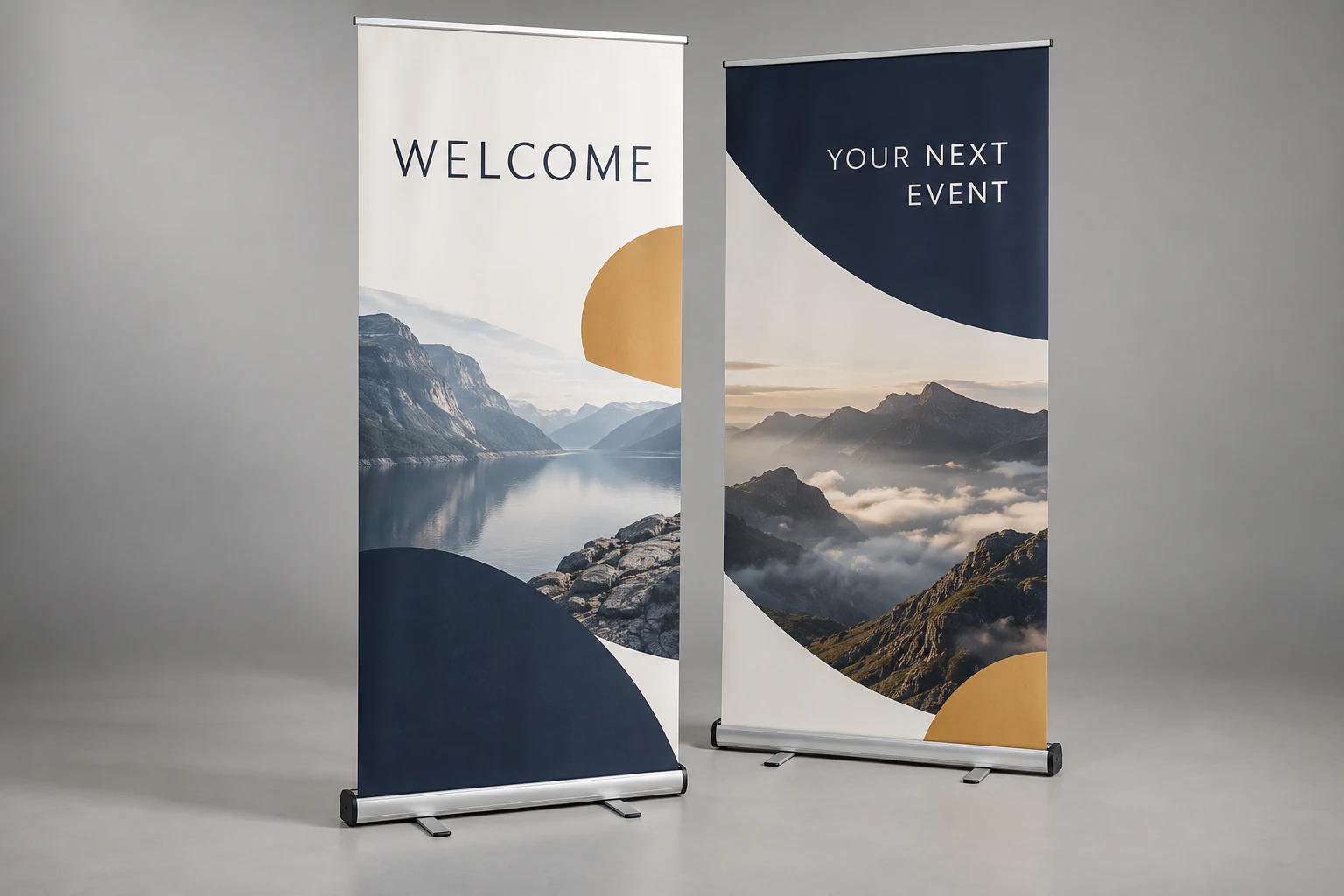
- Sizes
- 85 × 200 or 100 × 200 cm
- Material
- Sturdy polyester
- Printing
- Single-sided, full colour
- System
- Cassette, pole and carry bag
Which size suits your space?
Both banners are 2 metres tall. Choose the width to suit your available space and your design.
85 × 200 cm
Compact and versatile
A practical choice beside a counter, at an entrance or on a trade show stand where space is limited.
PDF size: 850 × 2000 mm
100 × 200 cm
More room for your message
15 cm wider for a more spacious layout, larger images or extra room around your logo and text.
PDF size: 1000 × 2000 mm
Sturdy material, ready to reuse
Your design is printed in full colour on polyester banner material. Printing is on one side. The flexible print retracts into the cassette, keeping your banner compact for storage and transport.
What is included?
- A banner printed with your own design
- A retractable cassette with support feet
- A pole to hold the banner upright
- A carry bag for transport and storage
How to set up your banner
Prepare the base
Place the cassette on a level surface and turn out the support feet.
Fit the pole
Assemble the pole and insert it into the holder in the cassette.
Extend the banner
Gently pull the print upwards and attach its top edge to the pole. Keep hold of the print when retracting it after use.
How to prepare your artwork
Set up your file at the size of your chosen banner. Keep text, logos and other important content clear of the areas that may be hidden near the edges and retractable mechanism.
A PDF at the correct size
Supply a PDF measuring 850 × 2000 mm or 1000 × 2000 mm to match your selection. Check the page size before uploading.
Keep 15 mm clear at the top and bottom
Keep text and logos out of the top and bottom 15 mm. Backgrounds and images can extend all the way to the edge.
Keep 5 mm clear at the sides
Place important content at least 5 mm from the left and right edges so it stays clearly visible.
Check colour and readability
Use CMYK where possible. Choose sharp images and large, readable text. Check your PDF at actual size for spelling mistakes and blurry images.
Safe space for text and logos
A recognisable display wherever you go
Trade shows & events
Make your stand easy to find and show visitors what you offer at a glance.
Shops & showrooms
Draw attention to a product, promotion or new collection.
Receptions & presentations
Welcome visitors or display your company identity beside a stage or counter.
Plan your banner for your event
We deliver your banner by post. The configurator shows the estimated delivery date for your selected production speed.
Budget production
The Budget price is calculated for your order. Your order will be ready in 4 production days.
Standard or urgent
Choose the production method in the configurator. For urgent production, you can see the surcharge and schedule before ordering.
Postal delivery
When planning for your event, allow time for postal delivery after production.
Frequently asked questions about roll-up banners
What is the difference between the two sizes?
Both banners are 200 cm tall. One is 85 cm wide and the other is 100 cm. Choose 85 cm for a smaller space; 100 cm gives your design an extra 15 cm of width.
Does my banner come with a cassette?
Yes. Your banner comes with a retractable cassette, a pole and a carry bag. You do not need to add a separate stand.
Can I reuse the banner?
Yes, you can set up the same banner repeatedly. Let the print retract gently into the cassette and store the system in its carry bag to protect it during transport.
Is the banner printed on both sides?
No, this roll-up banner is printed in full colour on one side. Position the printed side towards your audience.
What margins should I leave in my design?
Keep text and logos at least 15 mm from the top and bottom edges and 5 mm from the sides. This safe space is inside your selected size; you do not need to make the PDF larger for it.
Can I order several designs?
Yes. Use ‘Number of designs’ in the configurator for different designs and ‘Quantity’ for the number of copies per design. Check your files and quantities before ordering.
When will my banner be ready?
The configurator shows the current schedule based on your production and delivery choices. Working towards an event date? Check that schedule before ordering or contact us for help.
Ready to create your banner?
Choose your size, add your artwork and view your price and schedule.
Configure & order