Plano sheets printing
Print a plano sheet when you arrange several designs yourself on one unfolded sheet, want to check the complete layout or will carry out any further finishing yourself. Supply the complete sheet layout as one page, then choose the production options in the configurator.
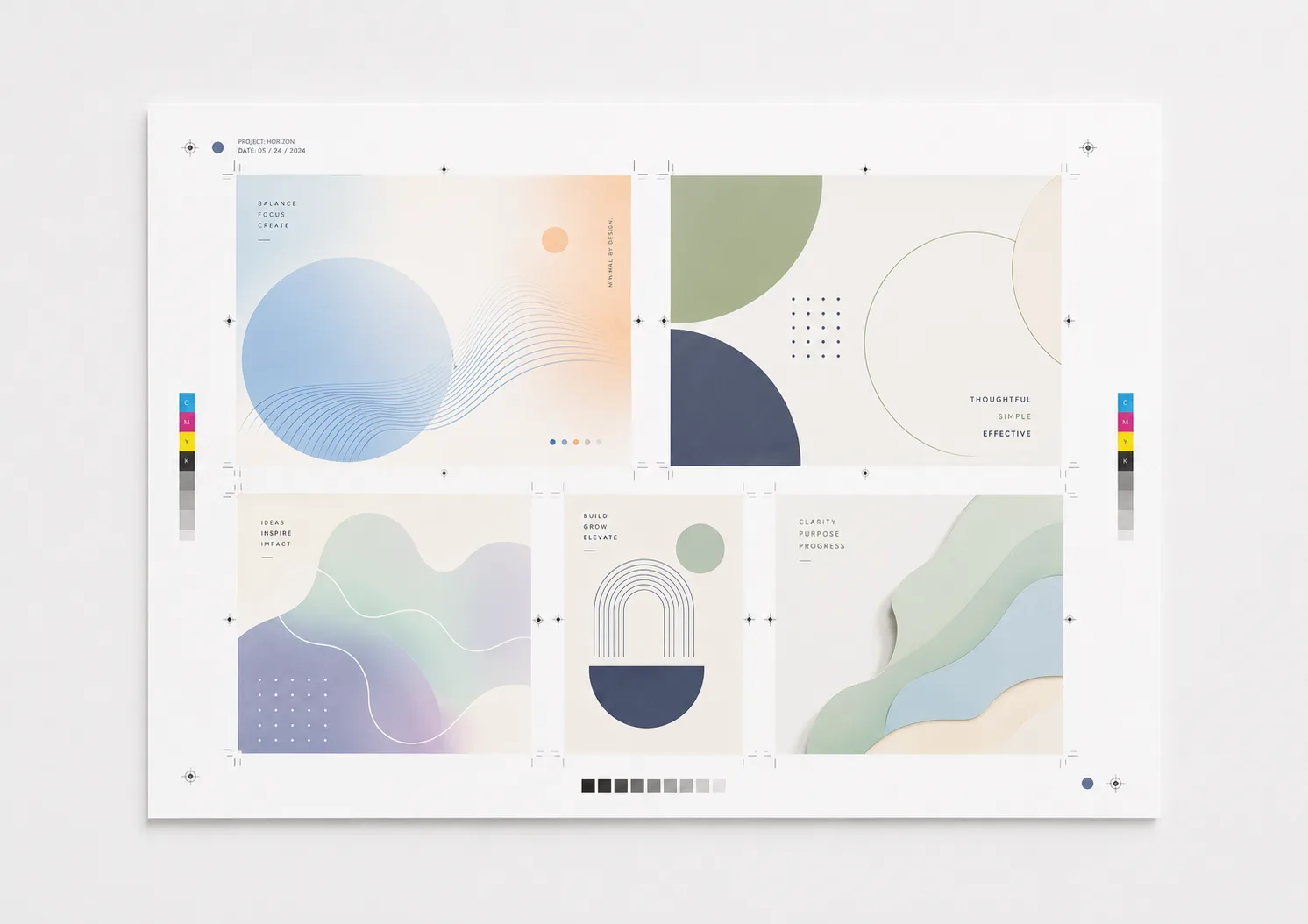
Build the plano sheet as one complete page
Position the designs yourself on the PDF page at the required scale. Check text, images, spacing and any guides you added in the print preview. The online configurator does not automatically impose separate designs and has no option to cut the plano sheet into separate products.
Choose A6, A5, A4 or A3, or set a custom rectangular size from 80–310 mm wide and 60–440 mm high. This page does not preselect a size; the configurator validates the selected dimensions.
Choose paper and printing for your plano sheet
Choose from twelve paper and material options: standard white 80 gsm, firm white 100 gsm, extra firm white 160 gsm, glossy off-white 170 gsm, very firm white 250 gsm, white natural card 300 gsm, slightly glossy white card 350 gsm, Old Dutch off-white 300 gsm, Linen pressing bright neutral white 300 gsm, Pearl luxury white 300 gsm, Polyester 125 µm and Polyester 350 µm. Print in black-and-white or colour and on one or both sides. Double-sided printing needs a file with at least two pages; check both sides in the preview. Order as loose sheets and optionally choose rounded corners when that option is available for your configuration. An advanced document check can also be selected when available.
Check your plano sheet before printing
- File and pages: preferably upload a PDF with one complete sheet layout per page. Multiple files are combined; after upload, check the confirmed total page count and order.
- Layout at final size: position every design yourself on the selected sheet size and review its placement, scale, spacing and any guides you added in the preview.
- Safety margin: keep text, logos and other important elements at least 5 mm inside the cut line of the selected outer size.
- Resolution and colour: supply photographs and illustrations at final size with a minimum resolution of 300 DPI and use CMYK when printing in colour.
See the current schedule for your plano sheets
Pages, quantity, paper, size, printing, finishing and delivery together determine the schedule. The configurator calculates the current options for pickup in Almere or shipping; check the displayed date before ordering.
Configure your plano sheetsFrequently asked questions about plano sheet printing
What are plano sheets?
Plano sheets are flat, unfolded printed sheets. You supply each page at the selected final sheet size and can use the printed sheet to check a layout or finish the designs yourself afterwards. PrintingHub does not automatically impose separate designs or cut out the individual designs for you.
Which sizes can I choose for plano sheets?
You can choose A6, A5, A4 or A3. For a custom size, enter a width from 80 to 310 mm and a height from 60 to 440 mm.
Which paper and print options are available?
Choose from twelve paper and material options: standard white 80 gsm, firm white 100 gsm, extra firm white 160 gsm, glossy off-white 170 gsm, very firm white 250 gsm, white natural card 300 gsm, slightly glossy white card 350 gsm, Old Dutch off-white 300 gsm, Linen pressing bright neutral white 300 gsm, Pearl luxury white 300 gsm, Polyester 125 µm and Polyester 350 µm. Printing is available in black-and-white or colour and single- or double-sided. Double-sided printing requires at least two pages.
How should I supply a file for plano sheets?
Preferably supply a PDF at the selected final sheet size. Keep important text and images at least 5 mm inside the cut line, use 300 DPI images and work in CMYK. Check in the preview that your own guides and marks are positioned correctly; PrintingHub does not automatically create an imposition or crop marks for the individual designs.
Can I upload multiple files or pages?
Yes. After upload, PrintingHub adds together the confirmed page counts of your files. The page count shows how many different pages you supply; quantity determines how many identical sets you want printed.
When will my plano sheets be ready?
That depends on your settings and selected production option. The configurator shows the current price and schedule for collection in Almere or shipping before you order.
PrintingHub.nl on Google
More than 100 public Google reviews for PrintingHub.nl. View the current reviews directly on Google.